File verificationSignature matches the developer’s certificate
Unmodified file: same certificate as this app’s versions from the official app store, signed by JK.Fantasy (Liao Sheng Wen). A signature shows who signed the file, not how the app behaves.
Hi, There you can download APK file "Mirror Camera" for Android free, apk file version is 1.6.0 to download to your android device just click this button. It's easy and warranty. We provide only original apk files. If any of materials on this site violates your rights, report us
Screenshots of Mirror Camera (Mirror + Selfie Camera)
Description of Mirror Camera (Mirror + Selfie Camera) (from google play)
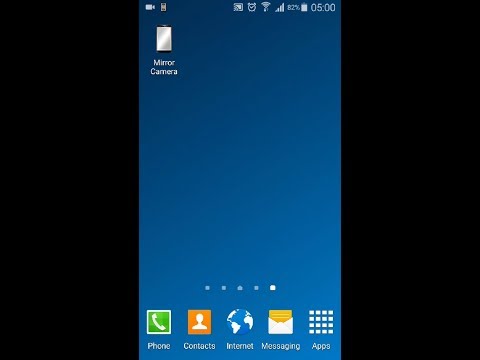
Please watch the teach video to know how to use it.
[ Tommorow, I will meet ... me ... yesterday. ]
Mirror + Selfie Camera (best mirror app for free) Let your phone become a perfect smart mirror.
Handy! Press mirror region to show/hide menu.
[Quick Mirror Camera Guideline] When application start, it will hide all the menu. So it is really like a mirror.
You can use the following method to change other settings: 1. Press Mirror region to show/hide menu. 2. Drag the red seek bar to change screen brightness. 3. Drag the pink seek bar 1 to change camera exposure. 4. Drag the pink seek bar 2 to let mirror zoom in/out. 5. Press bulb button enable/disable night mode. 6. Press mirror button to change capture mode. (Capture with "Image on Mirror" or "Your real Image") 7. Press the pause/resume button to pause/resume preview. (freeze image) Then double click the freeze image to let mirror zoom in/out. (Or use two fingers to let mirror zoom in/out) 8. [Volume Key] : Use volume-down key to pause/resume preview. (freeze image) Use volume-up key to do camera capture. You can change other option in the camera settings page.
[Others] 1. You also can take a picture or edit mirror photo image if you wish. 2. Night mode : Press the bulb button, use panel light at the edge of panel. 3. This application will not turn off screen when you use Camera. If user not touch the screen for 10 minutes, this application will auto exit to prevent power loss.
【Recommended External Mirror Image Photo Editor】 ( Line Camera ) https://play.google.com/store/apps/details?id=jp.naver.linecamera.android This APP is now tested more compatible. They support external photo edit more user friendly.
Or you can use system photo editor, it also work. (Test on Samsung Phones.)
【PS】 Please like us on Facebook. Give us the power of love. https://www.facebook.com/jkfantasy
What's new in Mirror Camera (Mirror + Selfie Camera)
New in Mirror Camera 1.6.0
V1.6.0: 1. Minor bugs fixed.
Please rate this app
Mirror Camera (Mirror + Selfie Camera) Version History: APK Size & Android Support
Explore the version history of Mirror Camera (Mirror + Selfie Camera) for Android and see how the app has evolved over time. This section tracks versions added to the apkcafe.in catalog, including download size, declared permissions, and Android compatibility. Select a point on a chart to explore historical version data.
Mirror Camera (Mirror + Selfie Camera) Catalog Statistics
Versions added in the last 12 months0
Last version added
Catalog update frequencyNo versions added for over a year
Mirror Camera (Mirror + Selfie Camera) Versions Added by Quarter
Q2 20201 version added
New versions in the catalogNo updates since May 2020
1 new Mirror Camera (Mirror + Selfie Camera) version was added to the apkcafe.in catalog in 2020. The catalog contains 6 versions dating back to June 2017.
Mirror Camera (Mirror + Selfie Camera) Download Size History
1.6.0May 22, 20202.81 MB APK
Download size for most phonesNo updates since May 2020
The Mirror Camera (Mirror + Selfie Camera) download size for most phones increased from 2.65 MB in version 1.3.6 (2017) to 2.81 MB in version 1.6.0, a 6% increase.
Mirror Camera (Mirror + Selfie Camera) Permissions History
1.6.0May 22, 202010 permissions
Permissions declared by the versionNo updates since May 2020
Mirror Camera (Mirror + Selfie Camera) has declared 10 permissions since 2017 (version 1.3.6).
Mirror Camera (Mirror + Selfie Camera) Android Compatibility History
1.6.0May 22, 2020Android 4.0+, built for 9
Requires (minimum Android)Built for (target Android)No updates since May 2020
Mirror Camera (Mirror + Selfie Camera) 1.6.0 requires Android 4.0 or newer and is built for Android 9.
Android does not install an older version over a newer one, so uninstall Mirror Camera (Mirror + Selfie Camera) first. This usually deletes the app's data on the phone, so back up anything you need.
Dates show when each version was added to the apkcafe.in catalog. Size is the full download for most phones; permissions are for the same build.